Reverse Engineering a Biometric Attendance Machine
I spent three weeks talking to a fingerprint scanner. It mostly ignored me.
Part I: The USB Ritual
Our office had one of those fingerprint attendance machines. BioMax something. Employees would press their thumbs against it twice a day, it would beep, show a green light, and everyone assumed their attendance was being recorded somewhere.
It was. Sort of.
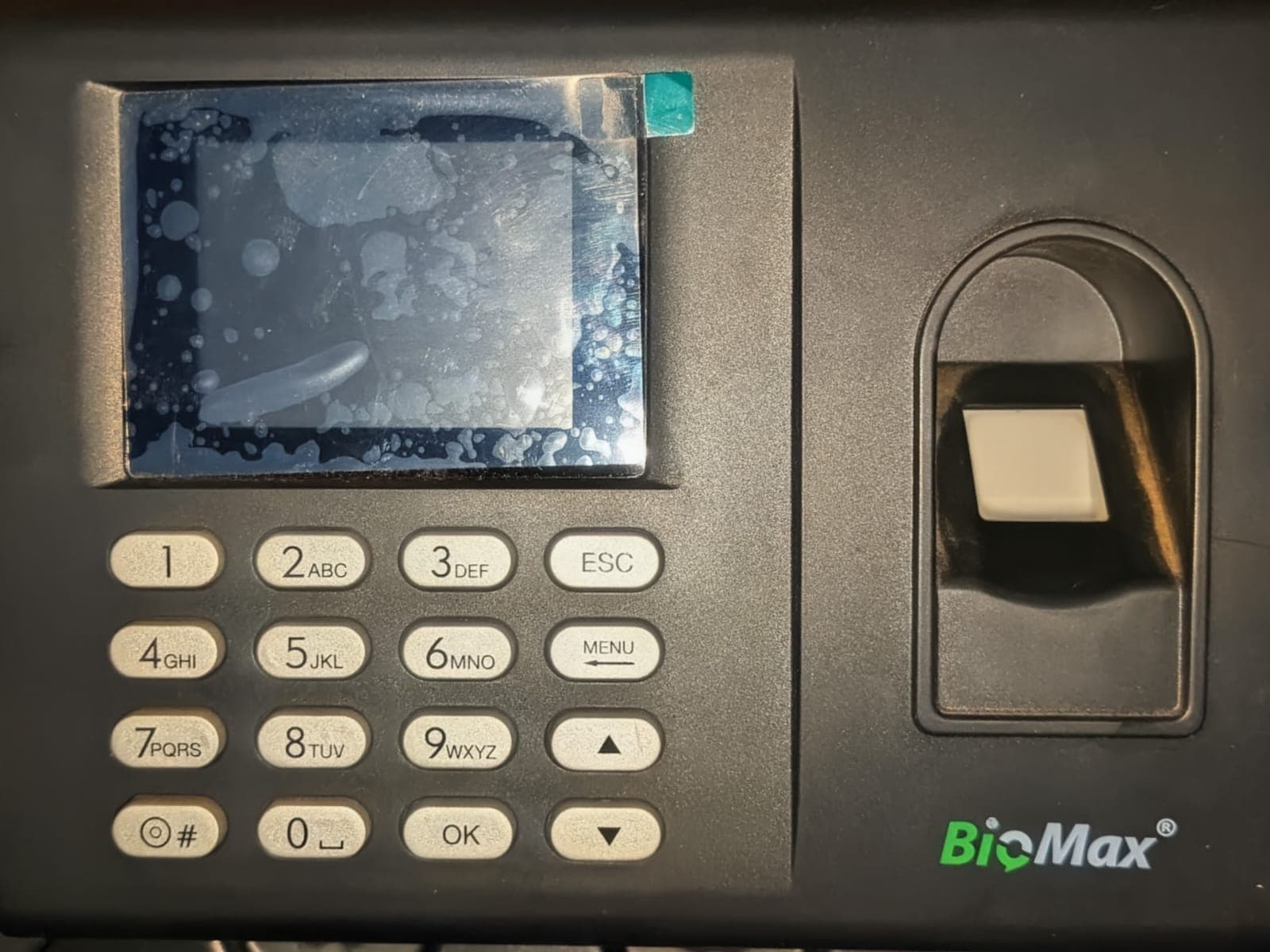
Every morning, someone from admin would walk to the machine with a USB drive, press some buttons, wait for the export, walk back to their desk, open an Excel file, and manually process attendance. In 2026.
The manufacturer offered a cloud solution. ₹3000 per year. Real-time dashboard, mobile app, the works. I briefly considered it. Then I noticed the Ethernet port on the back.
Part II: The Port
The second thing was a “Server IP” setting.
That alone tells you everything:
- This thing already speaks network
- It already knows how to push data
So I set the server IP to my laptop, opened Wireshark, and started a tiny Python HTTP server. Port 8001. Just to see what would happen.
from http.server import HTTPServer, BaseHTTPRequestHandler

class Handler(BaseHTTPRequestHandler):
    def do_POST(self):
        print(f"Headers: {self.headers}")
        length = int(self.headers.get('Content-Length', 0))
        body = self.rfile.read(length)
        print(f"Body: {body[:200]}")  # first 200 bytes
        self.send_response(200)
        self.end_headers()

HTTPServer(('0.0.0.0', 8001), Handler).serve_forever()
Three minutes later:
POST /hdata.aspx HTTP/1.0
request_code: receive_cmd
dev_id: C2636C37D7192936
Content-Type: application/octet-stream
Content-Length: 482


\88\00\00\00{
  "user_id": "1",
  "user_name": "Vaibhav K.",
  "enroll_data_array": [
    { "backup_number": 0, "enroll_data": "BIN_1" },
    { "backup_number": 1, "enroll_data": "BIN_2" }
  ]
}
We were talking.
Part III: The Protocol That Wasn't
I found a blog post about biometric attendance systems. They used JSON over HTTP. Simple request-response. The example code looked clean:
response = {"status": "OK", "command": None}
return json.dumps(response)
I sent back {"status": "OK"}. The device disconnected.
I tried {"response_code": "OK"}. Nothing.
I tried {"result": "success"}. Silence.
Here's the thing about protocols: they're negotiations between systems that have already agreed on the terms. Break the agreement, and you're not having a conversation anymore. You're shouting into the void.
I needed the actual terms.
Part IV: The Manual
Naturally, I searched for:
- the device name
- the headers
- the endpoint
- the firmware string
Nothing.
No GitHub repos. No StackOverflow answers. No Medium blogs.
This usually means one of two things:
- You’re doing something wrong
- You’re about to have a lot of fun
Then I noticed the firmware string.
94 pages. PDF. Last updated September 2019. Perfect.
“Attendance / Access Control BS SDK Manual” (opens in a new tab)
Page 24, Section 3.4:
Response that the HTTP server send when receive operator command

-- HTTP header –
response_code: <1>
trans_id: <2>
cmd_code: GET_LOG_DATA
Beautiful. Clear. Documented.
I implemented it exactly as specified:
response_headers = {
    'response_code': 'OK',
    'Content-Type': 'application/octet-stream'
}
The device ignored me.
Part V: The Three-Minute Loop
The device operated on a three-minute heartbeat. Every 180 seconds, it would send:
POST /hdata.aspx HTTP/1.0
request_code: receive_cmd
This was my window. I could send it a command. If the command was malformed—wrong header, wrong format, wrong anything—the device would simply not respond. No error code. No debug info. Just silence.
Then I'd wait three minutes for another chance.
Debugging with a three-minute feedback loop changes you. You become extremely careful. You read the manual six times before trying something. You add logging everywhere. You document every failed attempt.
My notebook from that week:
Attempt 14: response_code: OK -> no response
Attempt 15: response_code: SUCCESS -> no response
Attempt 16: status_code: OK -> no response
Attempt 17: cmd_resp: OK -> RESPONSE! Device sent data!
cmd_resp: OK
After hours of trial and error, I discovered it wanted. Not response_code. Not documented anywhere. Just... different.
Part VI: The Replay
Once I got the handshake right, the device started talking. A lot.
It began replaying every attendance log it had ever recorded. All 4,236 of them. One per request.
POST /hdata.aspx HTTP/1.0
request_code: realtime_glog
dev_id: C2636C37D7192936
Content-Length: 234

{"user_id":"1","io_time":"20250506120854","verify_mode":268435456,...}
After responding with cmd_resp: OK, it would send the next one. 15 seconds later.
4,236 logs × 15 seconds = 16 hours.
I needed to get current logs, not replay three years of history. The manual showed a GET_LOG_DATA command with time filters:
{
  "begin_time": "20260114000000",
  "end_time": "20260114235959"
}
I sent it during the next heartbeat. The device acknowledged it. Then continued replaying historical logs.
After eighteen more attempts across nine hours, I discovered the device would only process new commands after finishing the replay. There was no way to interrupt it.
I let it run overnight.
Part VII: The Binary (How the Bytes Gave Up)
The device finally finished replaying history and started sending current logs.
The payload looked like this:
-- HTTP body --
{"log_array":"BIN_1","log_count":4296,"one_log_size":32}
<followed by 4296 × 32 bytes>
So now I knew three things for certain:
- Each log is exactly 32 bytes
- The logs are packed back-to-back
- The JSON is just a wrapper — the real data is binary
Here’s what one block actually looked like on disk (blk1), hex-dumped:
00000000: 3a00 0000 7b22 6c6f 675f 6172 7261 7922
00000010: 3a22 4249 4e5f 3122 2c22 6c6f 675f 636f
00000020: 756e 7422 3a34 3239 362c 226f 6e65 5f6c
00000030: 6f67 5f73 697a 6522 3a33 327d 0a00
0000003a: 0019 0200 3300 0000 0000 0000 0000 0000
0000004a: 0000 0100 0036 f651 8621 0000 0001 0000
The first 0x3a bytes were JSON. After that, the logs began — clean 32-byte chunks.
I split them manually and stared at just one.
Step 1: Finding Something Familiar
The CSV export (from USB) told me this log existed:
user_id,datetime,io_mode,verify_mode,valid
3,2025-05-06 12:08:54,16777216,268435456,2
So somewhere inside those 32 bytes lived:
- user_id =
3 - time =
2025-05-06 12:08:54 - verify_mode =
268435456(0x10000000, fingerprint)
I searched for small integers first.
And there it was:
03 00 00 00Little-endian. Four bytes. That felt deliberate.
But then I noticed something stranger.
The user ID wasn’t just 4 bytes.
It was 16 bytes, null-padded:
33 00 00 00 00 00 00 00 00 00 00 00 00 00 00 00ASCII '3', then silence.
So:
Bytes 0–15 → user_id (string, padded)That explained this line in my decoder:
user_id = buf[0:16].rstrip(b"\x00").decode()Step 2: The Orphaned Second
Byte 19 was weird.
It kept changing between logs, always between 0x00 and 0x3B.
That’s 0–59.
Seconds.
But the rest of the timestamp wasn’t nearby.
That told me something important:
The timestamp is not stored as a simple struct.
So I skipped ahead.
Step 3: The 32-bit Time Blob
Bytes 20–23 changed together. Always.
The timestamp nearly broke me. There was no readable date anywhere. No ASCII. No obvious struct. Just changing bytes.
So I treated them as a single value:
tm_raw = struct.unpack("<I", buf[20:24])[0]Then I printed it in binary.
That’s when the pattern snapped into place.
Bits: [YYYYYYYYYY][MMMM][DDDDD][HHHHH][MMMMMM]Classic embedded firmware trick: bit-packing.
Reverse-engineering it was just counting ranges:
year   = ((tm_raw >> 2)  & 0x3FF) + 1900
month  = (tm_raw >> 12) & 0x0F
day    = (tm_raw >> 16) & 0x1F
hour   = (tm_raw >> 21) & 0x1F
minute = (tm_raw >> 26) & 0x3F
Bit Allocation Breakdown
Year (10 bits)
- 10 bits can represent 0-1023 (2^10 = 1024 values)
- The code adds 1900 to the decoded value, so this covers years 1900-3023
- This gives plenty of range for any reasonable application
Month (4 bits)
- 4 bits can represent 0-15 (2^4 = 16 values)
- Months are 1-12, so 4 bits is just enough
Day (5 bits) (note: it's 5 bits, not 3)
- 5 bits can represent 0-31 (2^5 = 32 values)
- Days of the month are 1-31, so 5 bits is perfect
Hour (5 bits)
- 5 bits can represent 0-31
- Hours are 0-23, so 5 bits is enough (with some room to spare)
Minute (6 bits)
- 6 bits can represent 0-63 (2^6 = 64 values)
- Minutes are 0-59, so 6 bits is just enough
Valid (2 bits)
- 2 bits can represent 0-3
- This appears to be a status/validity flag with 4 possible states
The missing seconds?
That was byte 19, sitting alone like an afterthought.
Step 4: Putting It Together
Once the structure was clear, the decoder practically wrote itself:
def decode_hs102_log(buf: bytes):
    if len(buf) != 32:
        raise ValueError("Log must be 32 bytes")

    user_id = buf[0:16].rstrip(b"\x00").decode(errors="ignore")
    second = buf[19]

    tm_raw = struct.unpack("<I", buf[20:24])[0]
    valid  = (tm_raw >> 0) & 0b11
    year   = (tm_raw >> 2) & 0x3FF
    month  = (tm_raw >> 12) & 0x0F
    day    = (tm_raw >> 16) & 0x1F
    hour   = (tm_raw >> 21) & 0x1F
    minute = (tm_raw >> 26) & 0x3F
    year  += 1900

    io_mode = struct.unpack("<I", buf[24:28])[0]
    verify_mode = struct.unpack("<I", buf[28:32])[0]

    return {
        "user_id": user_id,
        "datetime": f"{year:04}-{month:02}-{day:02} "
                    f"{hour:02}:{minute:02}:{second:02}",
        "io_mode": io_mode,
        "verify_mode": verify_mode,
        "valid": valid,
    }
When I ran it against the binary logs:
2025-05-06 12:08:54Perfect match.
No guesswork left. No magic constants. Just bytes finally admitting what they were.
Part VIII: The Dashboard
With logs parsing correctly, I built the dashboard. React. Nothing fancy. But it showed what I needed:
Real-time log feed:
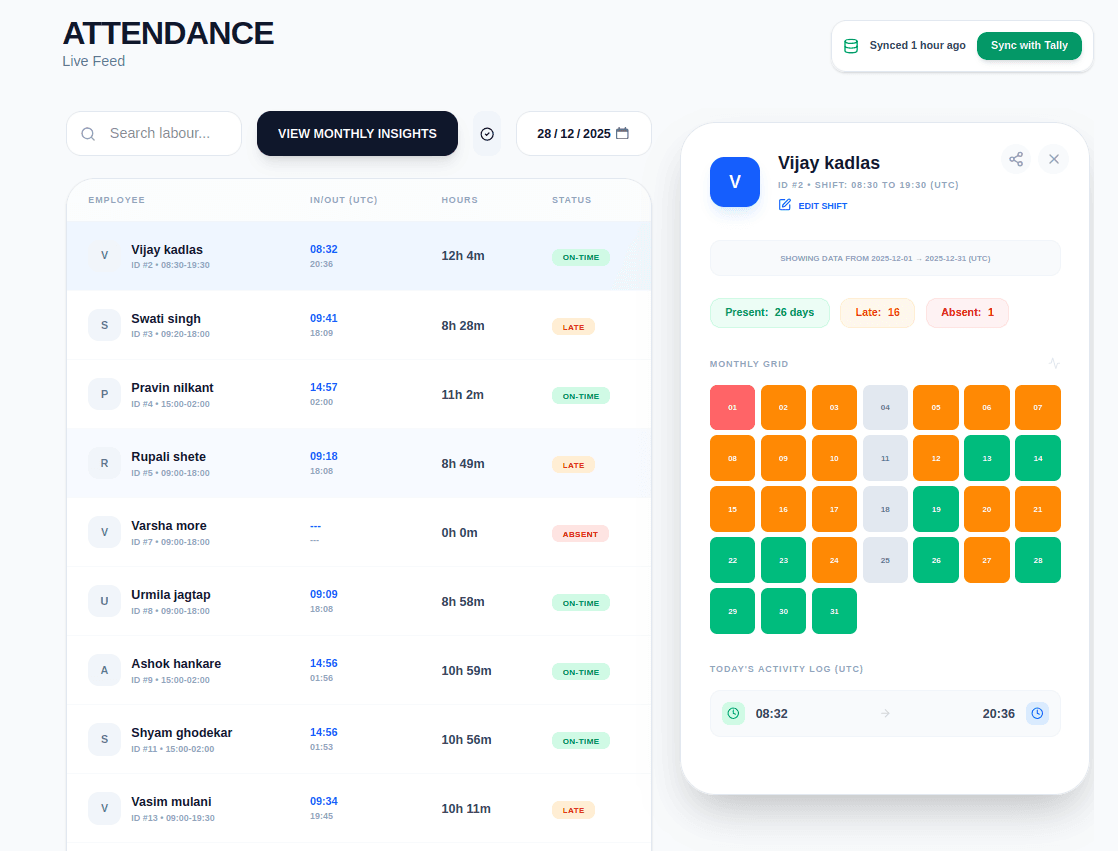
Statistics:
- Total employees: 27
- Checked in today: 24
- Late arrivals: 3
- Absent: 0
The device now sends logs in real-time via the realtime_glog request. Each punch shows up within seconds.
Part IX: Things I Learned
1. Slow feedback loops are brutal
Three minutes between attempts. I learned to:
- Test one thing at a time
- Document everything
- Read all available documentation before testing
- Make coffee
The coffee was important.
2. Binary data tells stories
Those 32 bytes weren't random. They encoded meaning. User identity. Time. Intent. Verification. Each byte was a word in a language I didn't speak yet.
But languages can be learned. Even when no one's teaching.
3. The cloud is just someone else's reverse engineering
That ₹3000/year subscription? They did this work already. They reverse engineered this protocol (or got docs from the manufacturer). They built the dashboard. They host the servers.
I paid with time instead of money. Different tradeoffs. Both valid.
Epilogue
The device is still running. Still sending heartbeats every three minutes. Still streaming logs in real-time.
I occasionally see it in the office, employees pressing their thumbs against it. It beeps, shows green, and somewhere on my server, a log entry appears:
user_id: 15
time: 2026-01-14 09:23:18
mode: IN
verify: FINGERPRINT
No USB drive required.
Questions? Comments? Got a weird device you're trying to talk to? I'm [@yourhandle]. The three-minute loop made me patient. I'll respond eventually.